ANIMATION SHARING PIPELINE
DESCRIPTION
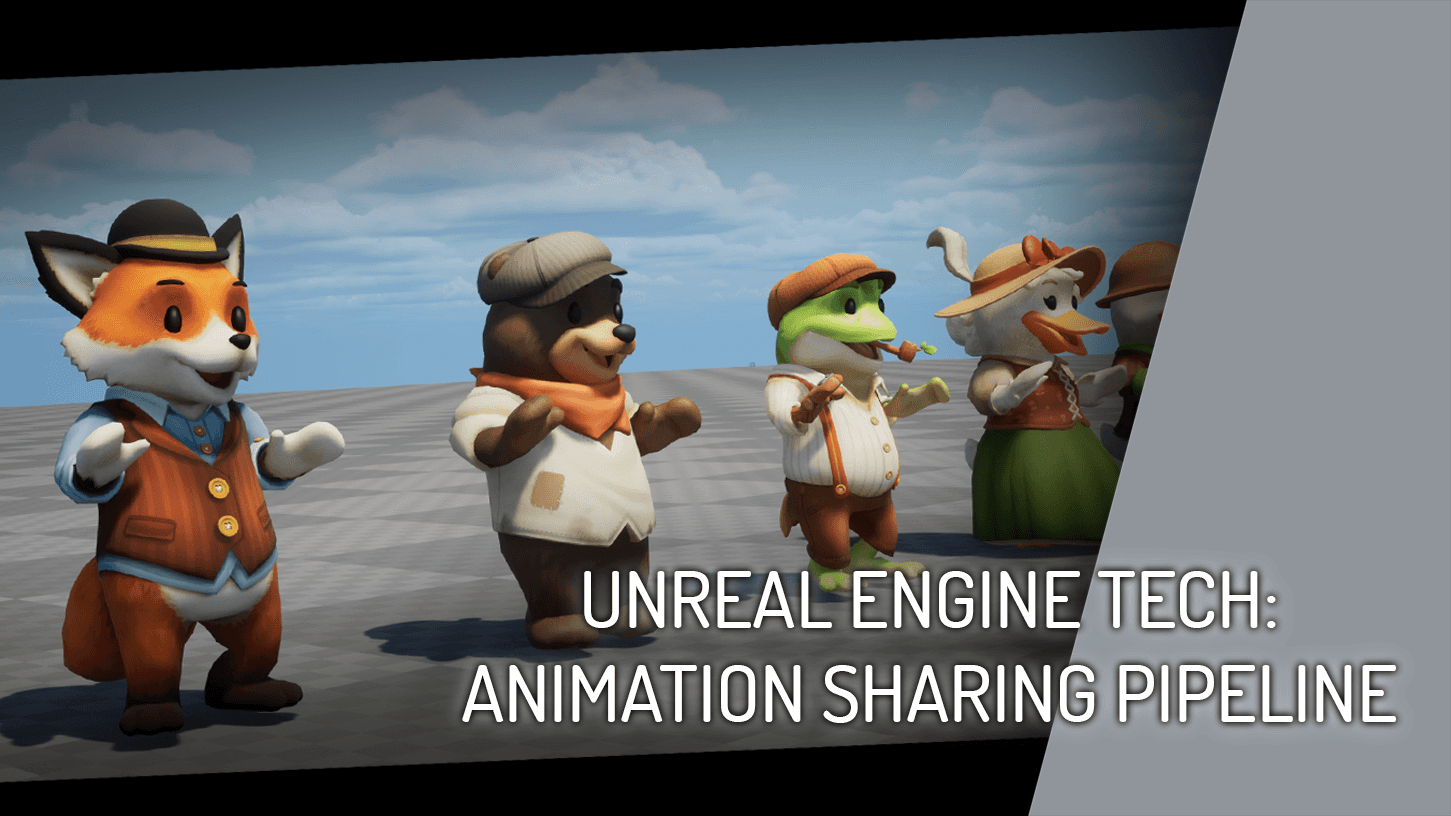
Demonstrated here is my general approach to sharing animations across various skeletal meshes of different proportions, without the need for any retargeting or redundant, duplicate animation assets for different characters.
ANIMATION SHARING PIPELINE
DESCRIPTION
Demonstrated here is my general approach to sharing animations across various skeletal meshes of different proportions, without the need for any retargeting or redundant, duplicate animation assets for different characters.
Featuring character model work by Josh Addessi, who's work can be found here.
Featuring character model work by Josh Addessi, who's work can be found here.
EXAMPLES
EXAMPLES
Below are some examples of this approach used in actual game contexts.
Below are some examples of this approach used in actual game contexts.
BASE SKELETON
BASE SKELETON
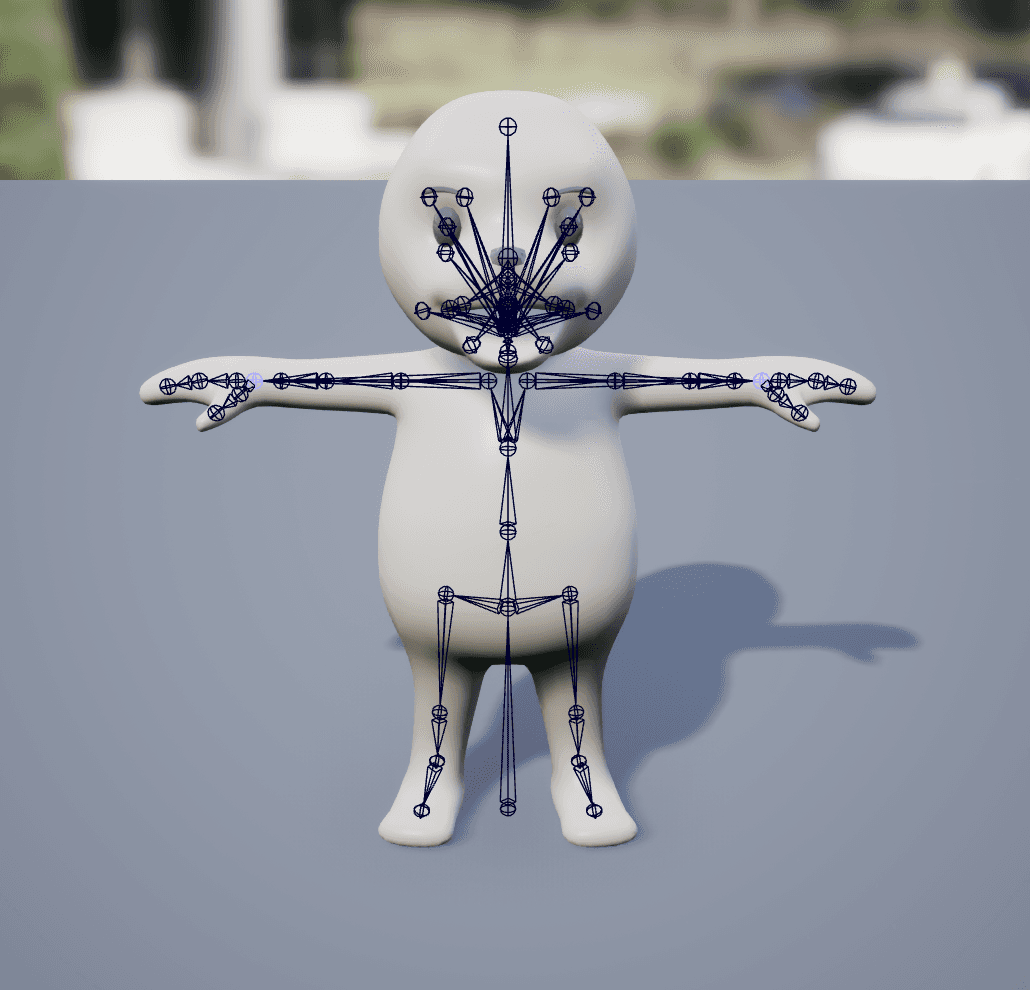
The first and most essential part of this pipeline is the Base Skeleton, as the names and bone orientations established here will be shared across all characters. This Base Skeleton will act as a template, and will also be the skeleton we actually animate in our DCC software.
The first and most essential part of this pipeline is the Base Skeleton, as the names and bone orientations established here will be shared across all characters. This Base Skeleton will act as a template, and will also be the skeleton we actually animate in our DCC software.
CHILD SKELETONS
CHILD SKELETONS
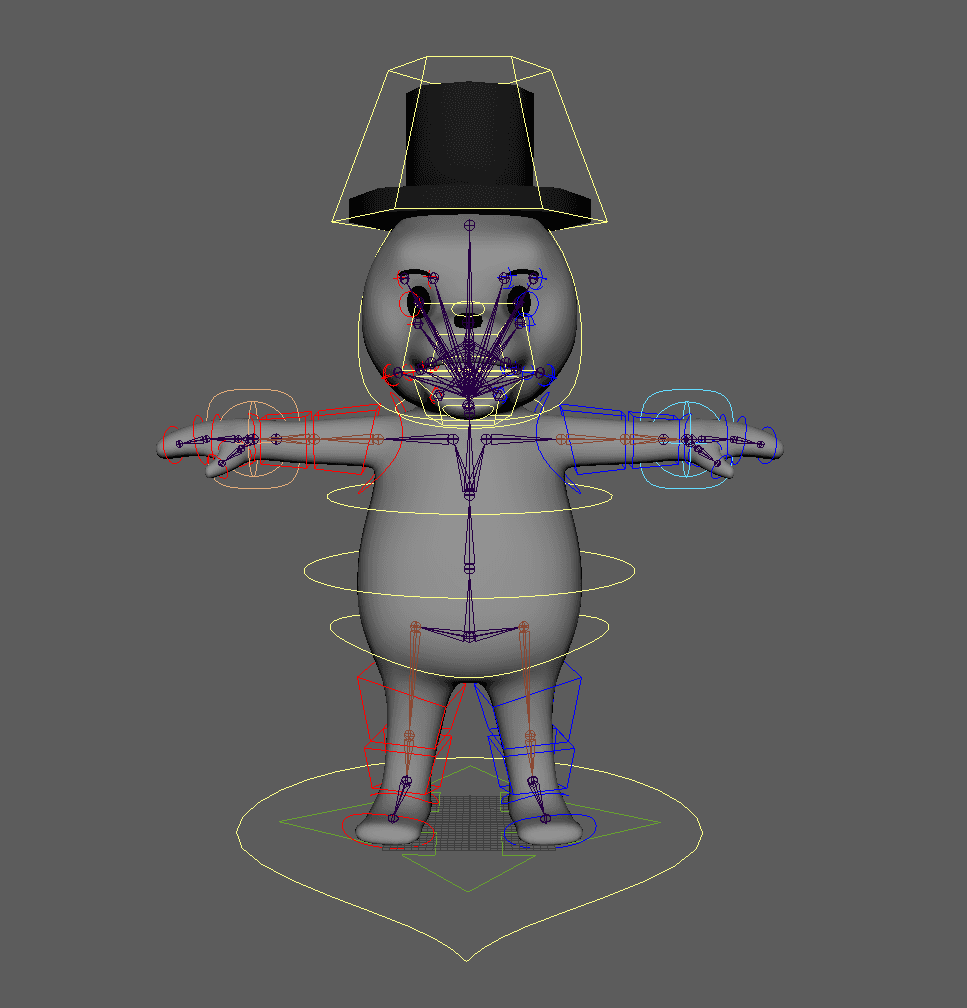
After we create our base skeleton, we want to create Child Skeletons which inherit all of the bones from the base, with optional additional bones for things like physics-driven dynamic parts. The inherited bones in the Child Skeletons can have variation in joint translations, but names and orientations must remain unchanged from the base skeleton.
After we create our base skeleton, we want to create Child Skeletons which inherit all of the bones from the base, with optional additional bones for things like physics-driven dynamic parts. The inherited bones in the Child Skeletons can have variation in joint translations, but names and orientations must remain unchanged from the base skeleton.

REFERENCE POSES
REFERENCE POSES
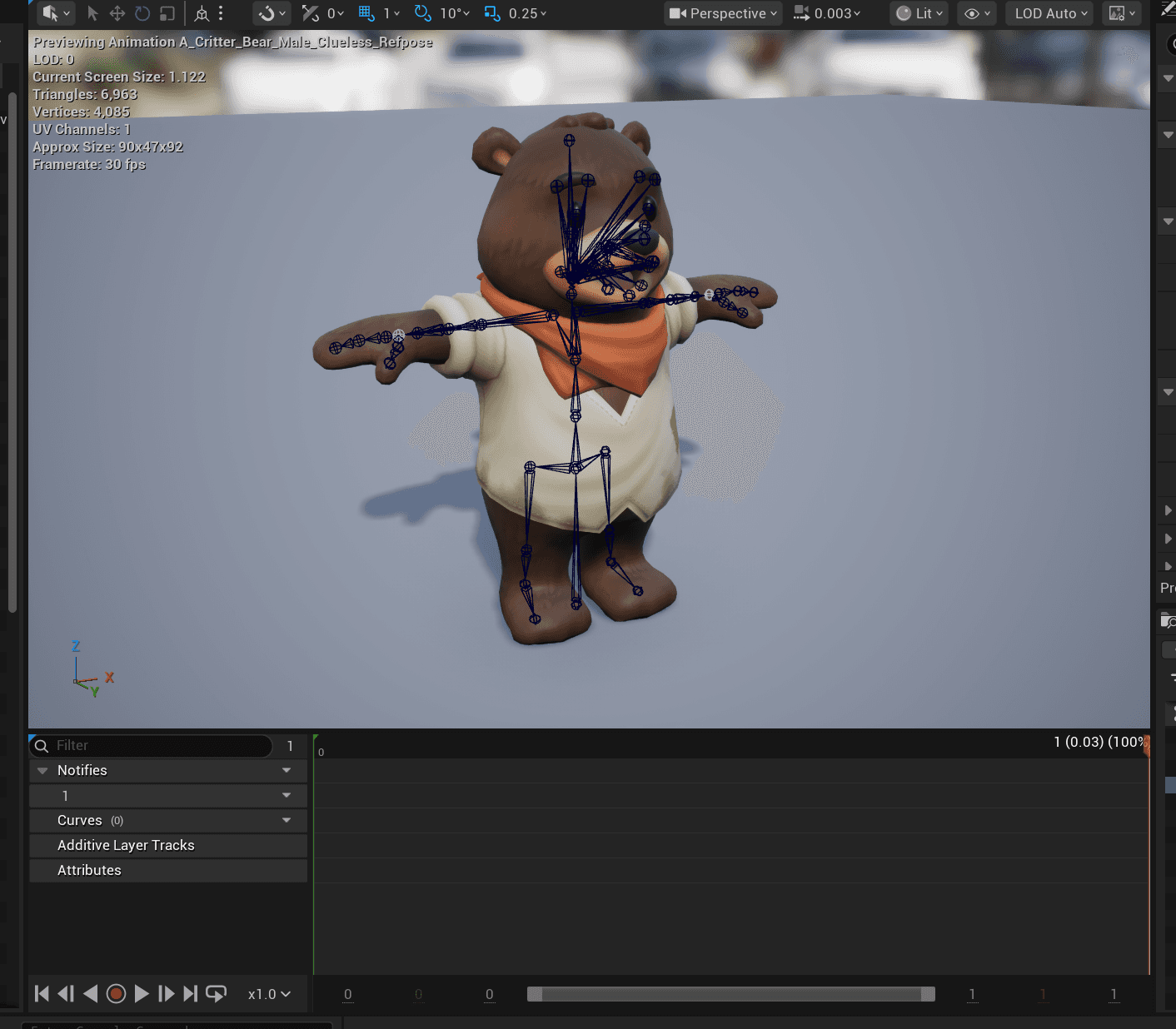
Each Child Skeleton should be paired with a Reference Pose single frame animation asset that is generated in-engine from it's respective skeletal mesh asset. This Reference Pose is key to this pipeline, as it allows us to compensate for the proportional discrepancies between the Base Skeleton and all of its Child Skeletons.
Each Child Skeleton should be paired with a Reference Pose single frame animation asset that is generated in-engine from it's respective skeletal mesh asset. This Reference Pose is key to this pipeline, as it allows us to compensate for the proportional discrepancies between the Base Skeleton and all of its Child Skeletons.
ADDITIVE ANIMATION
ADDITIVE ANIMATION
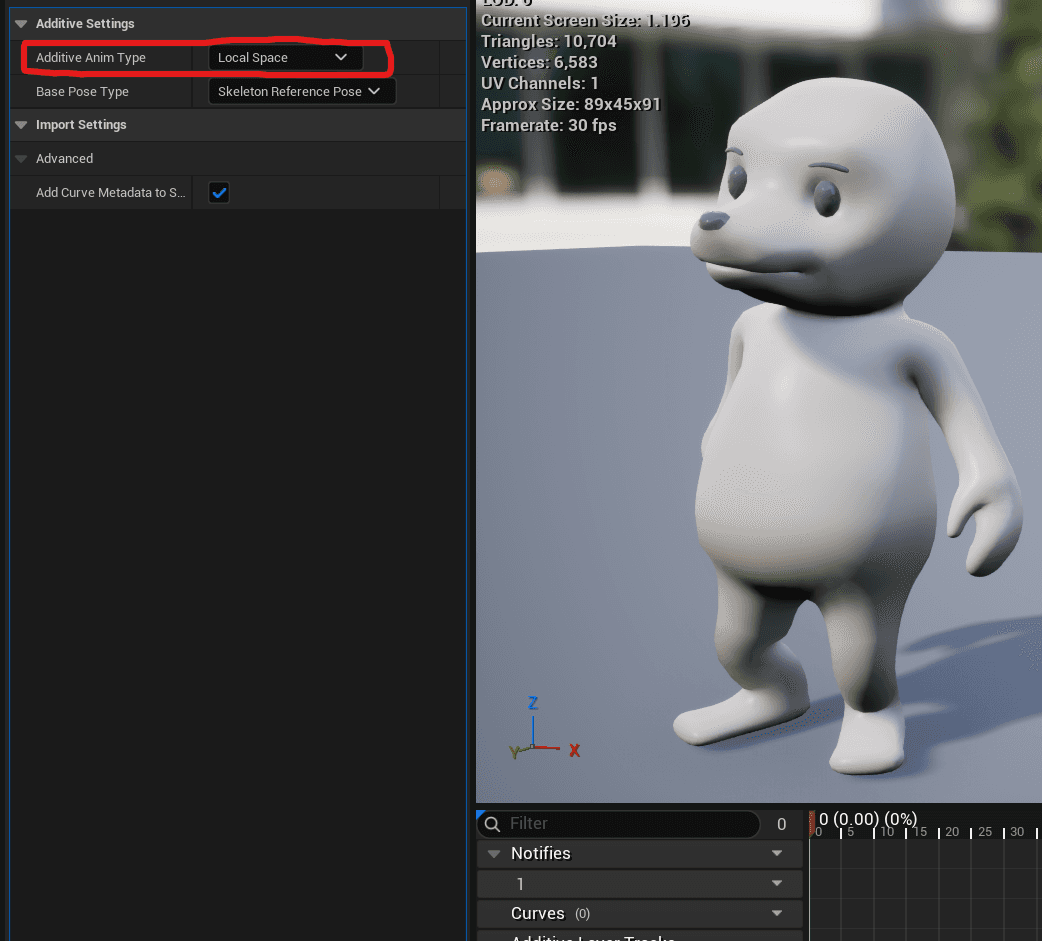
Each Animation Asset imported into the engine should be set to Local Space Additive.
Each Animation Asset imported into the engine should be set to Local Space Additive.
ANIMATION BLUEPRINT SETUP
ANIMATION BLUEPRINT SETUP
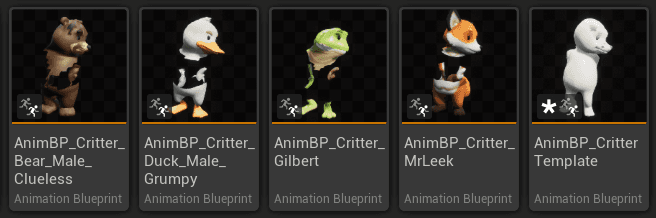
In our final Animation Blueprint Setup, we will be creating a Base AnimBP, or a Template AnimBP, for the Base Skeleton, and Child AnimBPs for each Child Skeleton. The Base AnimBP is where we will add our logic, and the Child AnimBPs will inherit said logic and simply override the Reference Pose.
In our final Animation Blueprint Setup, we will be creating a Base AnimBP, or a Template AnimBP, for the Base Skeleton, and Child AnimBPs for each Child Skeleton. The Base AnimBP is where we will add our logic, and the Child AnimBPs will inherit said logic and simply override the Reference Pose.
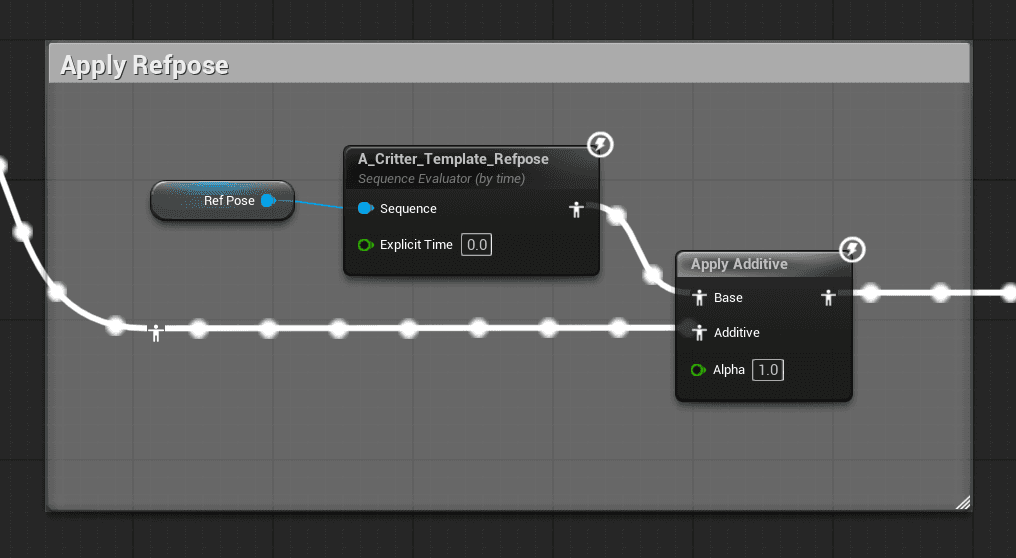
In our BaseAnimBP graph, our final pose will be the result of the Reference Pose + Near Final Animation Output. This is why it is critical for all of our animation assets to be set to additive. Our final animation result is simply our Reference Pose being additively offset by our animations.
In our BaseAnimBP graph, our final pose will be the result of the Reference Pose + Near Final Animation Output. This is why it is critical for all of our animation assets to be set to additive. Our final animation result is simply our Reference Pose being additively offset by our animations.
FINAL RESULT
FINAL RESULT


